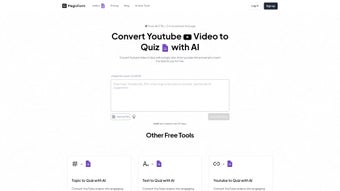

Download Youtube to Quiz – AI‑Powered Quiz Generator for YouTube Videos
Overview
Youtube to Quiz, created by MagicForm, is a subscription‑based web application that converts any YouTube video into a fully‑featured, interactive quiz in a matter of seconds. Launched publicly on May 8 2025, the service sits at the intersection of artificial intelligence and education technology, using advanced natural‑language processing to analyze video transcripts, captions, and even visual cues. The result is a set of multiple‑choice, true/false, or fill‑in‑the‑blank questions that can be instantly reviewed, edited, and exported.
Because the platform is delivered entirely through a secure HTTPS connection and runs inside modern browsers, there is no need for users to download or install heavyweight software on their computers. This makes it an ideal solution for teachers, corporate trainers, and content creators who rely on YouTube as a primary teaching medium. The tool supports a wide range of browsers—including Chrome, Firefox, Safari, Edge, and even legacy Internet Explorer 11—ensuring that it works on Windows, macOS, Linux, Android, and iOS devices alike.
Subscription tiers provide regular AI model updates, priority support, and access to an expanding library of customizable question templates. Early adopters praise the platform for its speed, ease of use, and the quality of the generated explanations, while also noting that the service complies with GDPR, CCPA, and FERPA, making it safe for educational institutions that handle sensitive student data. Overall, Youtube to Quiz promises to streamline the assessment creation workflow, freeing educators to focus on instruction rather than manual question drafting.
Key Features That Set Youtube to Quiz Apart
- AI‑Driven Content Extraction: Scans video transcripts, captions, and on‑screen text to isolate core concepts and facts.
- Automatic Question Generation: Produces multiple‑choice, true/false, and fill‑in‑the‑blank items with adjustable difficulty.
- Answer Explanations: Generates concise rationales for each answer, helping learners understand the reasoning.
- Bulk Processing: Accepts playlists or CSV lists of URLs to generate quizzes for entire channels in one operation.
- Custom Branding: Allows logos, color schemes, and header/footer customizations to match institutional identity.
- Export Options: Downloads quizzes as PDF, CSV, or SCORM packages for seamless LMS integration.
- Real‑Time Preview: Shows how questions appear on desktop, tablet, and mobile screens before publishing.
- Collaboration Workspace: Enables multiple team members to edit, comment, and approve quizzes together.
- Secure Cloud Storage: Stores all generated content encrypted at rest (AES‑256) and in transit (TLS 1.3).
- Continuous Updates: Subscription includes AI model improvements, new question types, and UI enhancements.
The feature set is deliberately engineered for educators who need rapid turnaround without sacrificing pedagogical quality. By automating the most time‑consuming part of quiz creation—question drafting—Youtube to Quiz lets instructors allocate more time to lesson planning, student interaction, and personalized feedback. The platform’s export flexibility means that quizzes can be used as printable worksheets, imported into popular learning management systems such as Moodle, Canvas, or Blackboard, or even embedded directly into a website for self‑paced study.
Additionally, the collaboration tools support departmental workflows, allowing subject‑matter experts to review and refine AI‑generated content before it reaches learners. The secure cloud infrastructure guarantees that all data remains confidential and compliant with major privacy regulations, an essential requirement for schools, universities, and corporate training programs. Overall, the combination of AI accuracy, multi‑format export, and robust security makes Youtube to Quiz a compelling addition to any digital teaching toolkit.
Installation, Usage Guide & Compatibility
Getting Started in Minutes
Because Youtube to Quiz is a SaaS platform, there is no traditional installation process. Users simply navigate to the official portal, create an account, and select a subscription tier that matches their needs. After confirming the email address, the user lands on a clean, responsive dashboard that works equally well on a 27‑inch desktop monitor and a 6‑inch smartphone screen.
Step‑by‑step workflow:
- Paste the YouTube URL: Enter a single video link or a full playlist into the “Create Quiz” field.
- Select Quiz Type: Choose between multiple‑choice, true/false, mixed, or fill‑in‑the‑blank formats.
- Configure Settings: Set the number of questions, difficulty level, and whether to include detailed explanations.
- Generate Quiz: Click “Generate.” The AI processes the transcript and returns a preview within seconds.
- Review & Edit: Fine‑tune any question, add custom hints, or reorder items to fit your curriculum.
- Export or Publish: Download the final quiz as PDF/CSV/SCORM or push it directly to your LMS.
For larger projects, the “Batch Mode” lets educators upload a CSV file containing dozens of URLs. The system then creates a batch of quizzes that can be reviewed collectively, dramatically reducing manual effort. All actions are saved automatically in the cloud, so you can resume work from any device at any time.
Operating System Compatibility
Youtube to Quiz runs flawlessly on all major browsers, including Chrome, Firefox, Safari, Edge, and Internet Explorer 11+. Because the application is browser‑based, it works on Windows 10/11, macOS Ventura and later, popular Linux distributions, as well as Android and iOS devices. The responsive design adapts the interface to any screen size, ensuring a consistent experience whether you are on a laptop in the staff room or a tablet in the field.
Institutions with strict network policies can whitelist the service by adding *.magicform.com to their allowed domains list. No additional plugins, extensions, or local installations are required, which simplifies deployment across campus firewalls and corporate VPNs. The HTTPS delivery guarantees that all data transfers are encrypted, meeting the security expectations of modern educational environments.
Pros, Cons, FAQ & Final Verdict
Pros
- Instant AI‑generated quizzes save hours of manual work.
- Supports multiple question types, difficulty levels, and bulk processing.
- Export options include PDF, CSV, and SCORM for seamless LMS integration.
- Cross‑browser and cross‑device compatibility ensures broad accessibility.
- Secure cloud storage with GDPR, CCPA, and FERPA compliance.
- Continuous AI model updates improve relevance and accuracy over time.
Cons
- Subscription cost may be a barrier for individual educators on a tight budget.
- Requires a stable internet connection; offline use is not currently supported.
- AI‑generated questions sometimes need manual tweaking for highly specialized subjects.
- Limited to YouTube videos; other video platforms are not yet integrated.
FAQ – Quick Reference
Can I use Youtube to Quiz with private YouTube videos?
Yes. As long as the private video is shared with the Google account you use to log in to Youtube to Quiz, the platform can access the transcript and generate questions.
What subscription plans are available?
Three plans are offered: Basic (10 quizzes/month), Professional (unlimited quizzes + bulk processing), and Enterprise (custom integration, dedicated support, and on‑premise options). All plans include regular AI updates.
Is there a free trial?
A 7‑day free trial is available for new users, granting full access to the Professional features so you can evaluate the AI’s accuracy before committing.
How secure is my data?
All data is encrypted in transit (TLS 1.3) and at rest (AES‑256). MagicForm complies with GDPR, CCPA, and FERPA, making it suitable for educational institutions.
Can I integrate the quizzes with Moodle or Canvas?
Yes. Exported SCORM packages can be imported directly into Moodle, Canvas, Blackboard, and other major LMS platforms.
Conclusion – Is Youtube to Quiz Right for You?
For educators, trainers, and content creators who regularly leverage YouTube as a teaching tool, Youtube to Quiz delivers a compelling mix of speed, accuracy, and flexibility. The AI engine eliminates the repetitive grunt work of manual question writing, while the extensive export options guarantee that the generated assessments can be deployed anywhere—from a simple PDF handout to a full‑featured LMS module. Although the subscription model introduces a recurring cost, the time saved and the professional polish of the quizzes often justify the investment, especially for schools and organizations that produce large volumes of video‑based content.
If you’re looking for a secure, cross‑platform solution that keeps pace with modern online education, give Youtube to Quiz a try. Start with the 7‑day free trial, generate a few quizzes from your favorite YouTube lessons, and see how the tool fits into your workflow. When you’re ready, subscribe to the plan that matches your needs and enjoy continuous AI improvements that keep your quizzes fresh and relevant.
Ready to transform your videos into engaging assessments? Download Youtube to Quiz now and experience the future of AI‑powered education.
Overall Rating: 4.5 / 5



.png)



